
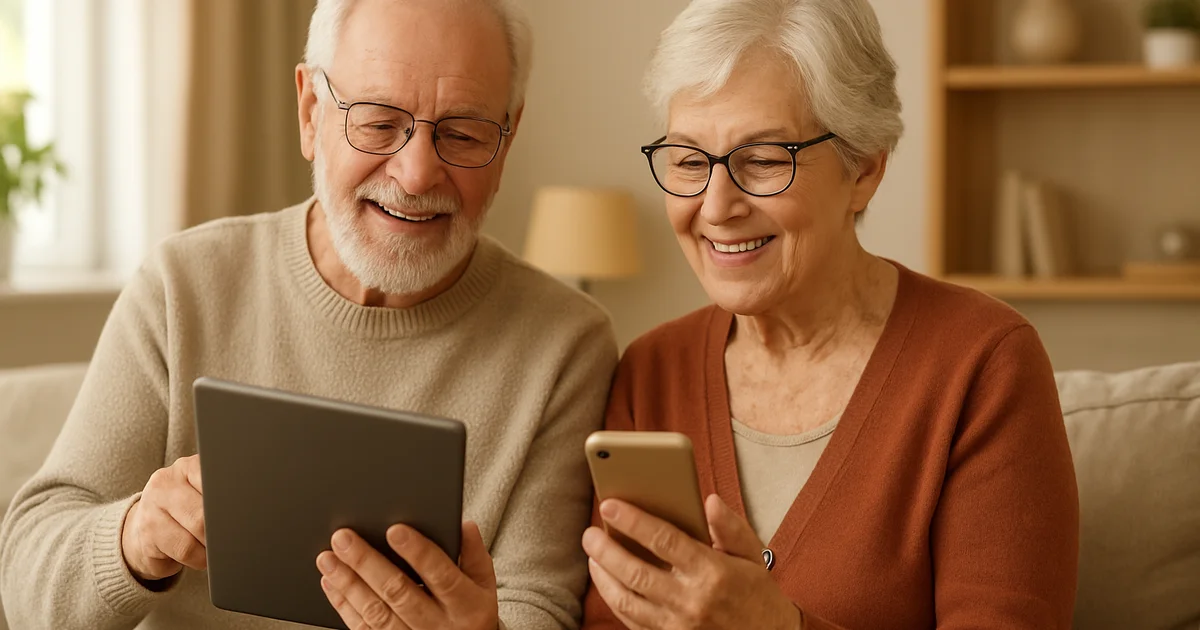
Gadgets for seniors are devices that make daily life easier, safer, and more social. This article groups devices by the job they do: calling and video, reminders, lighting, doors and locks, hearing, and getting help in an emergency.
For each job you get plain buying checks to help you choose what fits your parent or loved one. No brand names, no price advice, just steps and what to look for before you buy.
Calling and video: keep conversations simple and clear
Calling and video gadgets let seniors stay connected with family, friends, and care staff. Choose devices with large, clear icons, a simplified interface, and reliable connection options. Before you buy check setup. Make sure the device can be set up in the home by a family member or by paid setup help. Confirm whether the device needs Wi Fi or a cellular plan and who will manage that account. Decide who should appear in speed-dial lists. Many devices let you limit contacts to reduce confusion.
Next check alerts and permissions. Some devices send alerts for missed calls or video invitations. Decide who receives those alerts and how they arrive: by email, text, or a companion app. Ask whether an administrator can approve new contacts. Look at privacy settings. You should be able to disable any feature that shares audio or video automatically.
Consider power and battery. If the device has battery backup, verify how long it lasts on battery and how you will handle recharging. If the senior struggles with charging, pick models with easily accessible charging docks or pass-through power so a caregiver can manage charging without moving the device. Also check whether the device supports hands free voice activation and whether that increases false activations in the home.
Check monthly service and subscriptions. Some video calling devices include optional cloud storage, expanded contacts, or cellular access that costs extra. Confirm whether basic calling works without an ongoing subscription. Look for devices that allow local call handling through the home Wi Fi so you are not locked into a monthly plan.
Test return policy and warranty. Buy from retailers with a clear return window that gives you time to test the setup with the senior. Confirm warranty terms and how repairs are handled. Finally, practice using the device with the senior. Short, repeatable practice sessions build comfort. The National Institute on Aging suggests video chat and calling as ways to stay connected and reduce isolation.
Reminders: timers, pill dispensers, and smart calendars
Reminders keep seniors on schedule for medications, appointments, and daily tasks. When choosing reminder devices focus on clarity. Opt for clear audio prompts, large text on screens, and visible indicators such as lights. Check setup. Find out who programs reminders and how easy it is to edit them if instructions change. Determine whether reminders can be managed remotely by a family member through a companion app or whether someone must physically access the device.
Decide how alerts are delivered. Some devices flash lights, play tones, speak aloud, or send push notifications to caregivers. Choose a combination that matches the senior's hearing and vision. Confirm who receives caregiver alerts and whether alerts escalate when a reminder is missed. Many systems allow escalation from the device to a family member or to multiple contacts. Know the order of escalation before you rely on the device.
Check power and maintenance. Reminders tied to medication often require refilling or battery swaps. Ask about battery type and how obvious it is when power is low. If a device uses replaceable batteries, check whether the senior can change them or if a caregiver must handle it. For timed pill dispensers, understand the refill process and whether locking mechanisms are clear to the user.
Review monthly service and data. Some smart reminder systems store logs in the cloud or require subscription plans for remote management and caregiver notifications. If you prefer local-only devices, confirm the device can run without a subscription. Also examine return policy and technical support. A clear return window matters when you test real-world use. Finally, practice a full day of reminders with the senior so you can spot missed prompts and adjust volumes, tones, and timing.
Lighting: better sight, fewer trip hazards
Good lighting fixes many safety problems. When evaluating lighting gadgets focus on coverage and ease of control. Check where darkness causes the most trouble by walking the home with the senior. Note stairs, hallways, bathroom entries, and bedside areas. Look for lighting devices that add focused light in those spots, such as plug in night lights, motion-activated lights, or smart bulbs that brighten on command.
Consider control and setup. Decide whether the senior should control lights directly or a caregiver should manage them remotely. Some lights pair to a hub or to a phone app. Check how much setup is required and whether it can be simplified with preset scenes or schedules. Confirm that bulbs and fixtures are labeled clearly so anyone can replace them without technical skill.
Check motion sensors and false triggers. Motion lights reduce the need to flip switches. But they can be set too sensitively and turn on at inconvenient times. Test sensitivity settings and the time delay before lights dim. Also verify battery life for sensors or whether they draw power from a plug or hardwired source. Choose devices with easy battery access or long life when frequent changes would be a burden.
Assess brightness and color temperature. Cooler light can make details sharper but may be harsh at night. Warm tones can be easier on sleeping eyes but may hide small obstacles. If the device allows adjusting color temperature, practice those settings in rooms used at different times of day. Confirm return policy so you can swap items that do not suit the senior's vision. Finally, consider combining lighting with other systems. Motion-activated path lighting plus a simple bedside light can fix the poor lighting a room-by-room safety check turns up; the National Institute on Aging recommends that check and lists poor lighting as a danger to correct first.
Doors and locks: easy access and secure entry
Devices that control doors and locks balance independence with safety. Choose options that are straightforward to operate and that match the senior's mobility and dexterity. Before you buy check installation needs. Some locks require replacing the existing deadbolt, while others fit over the interior thumbturn. Confirm whether installation needs a homeowner or landlord approval and whether professional installation is an option if you cannot do it yourself.
Decide how access is granted. Many smart locks allow keys, codes, or smartphone control. Choose methods the senior can use comfortably. If codes are used, pick memorable patterns and record them securely. If smartphone control is part of the plan, confirm who holds administrative access and who can grant or revoke temporary codes. Review whether locks can automatically lock and unlock on a schedule or via geofence and whether that behavior can be disabled to suit daily routines.
Check power and battery. Electronic locks rely on batteries. Confirm the low battery warning method and how long the lock will operate on a low battery. Verify whether the senior can replace batteries or needs a caregiver to handle the task. For locks that require wired power or a hub, check whether those dependencies create single points of failure.
Consider fail safe and emergency options. Ensure there is always a mechanical key override for power failures. Confirm return policy, warranty, and how firmware updates are handled. If a door gadget connects to a wider home system, review how updates affect compatibility. Finally, test daily use. Practice locking and unlocking the door with the senior and with anyone else who needs access. Make a simple written guide for the senior and the household showing step by step how to use the device, how to replace batteries, and how to use any emergency mechanical override.
Hearing: devices to improve sound clarity
Hearing gadgets help seniors hear phone calls, conversations, television, and alerts. Decide whether a simple assistive listening device or a hearing device is needed. Over the counter hearing aids are intended for adults with perceived mild to moderate hearing loss and can be bought without a medical exam. You can buy them in person or online without a prescription. Prescription hearing aids are available only through a licensed hearing health care professional who can program the device to an individual level of hearing loss. The U.S. Food and Drug Administration explains these options.
Check the degree of hearing loss first. A hearing health care professional such as an audiologist can perform a hearing test and hearing aid evaluation. That professional role matters when loss is more than mild to moderate because prescription devices are designed and programmed for greater degrees of loss. If you skip a professional test, choose over the counter devices only for perceived mild to moderate hearing difficulty and watch for signs that a referral is needed.
Assess setup and ongoing adjustments. Hearing devices can need precise placement and occasional adjustments. If the senior will manage devices independently, pick models with simple controls and clear battery access. If a professional fitting is used, confirm follow up care arrangements. Also check who gets alerts or device status notifications if the device pairs with a phone or app.
Review battery and maintenance. Hearing devices run on disposable batteries or rechargeable packs. Confirm recharging routines and how alerting for low battery is handled. Check return policy and trial periods so you can exchange a device that does not fit or perform as expected. Finally, consider assistive accessories. Streamers, amplified phones, and TV listeners can help when a full hearing device is not yet needed. The right device depends on the degree of hearing loss, as the U.S. Food and Drug Administration explains.
Getting help in an emergency: alerts and monitoring
Emergency alert gadgets connect a senior to help when a medical or other urgent situation occurs. An emergency medical alert system uses an electronic monitor worn by the person. The monitor alerts emergency personnel when a person becomes lost, falls, or needs urgent medical assistance. That definition comes from the National Institute on Aging.
First pick the kind of alert device. Options include wearable pendants, wristbands, home base units, and fall detectors. Decide whether the device must work outside the home. If the senior leaves home often, choose a device with cellular or GPS capability. If the device is home only, a base station tied to the home phone or Wi Fi may be sufficient. Check how the device detects emergencies. Automatic fall detection can help when a fall is not witnessed, but it can produce false alarms. Verify sensitivity settings and test them with the senior to balance detection and nuisance alerts.
Confirm response workflow. Ask how alerts are routed. Some systems notify a monitoring center that calls the resident and then dispatches emergency services if needed. Others call a list of family contacts first. Decide who should be contacted in each scenario. Make sure contact lists are up to date and that the senior understands who will respond. If the device relies on a monitoring center, confirm hours of operation and how often the company tests lines. For family alerted systems, verify that a caregiver will respond promptly and has keys and instructions for accessing the home.
Check setup, power, and monthly service. Many alert systems require a base station setup and may need a monthly monitoring plan. Confirm whether the plan includes cellular backup and whether the device can function during power outages through battery backup. Review battery replacement schedules and whether the senior can manage them. Look at return policy and trial periods. Finally, tag devices with clear instructions, emergency contacts, and any medical information the responder may need. If the senior has a serious allergy or medical need, talk with a doctor about whether a medical alert ID bracelet or necklace is appropriate, as the National Institute on Aging advises.
Pick gadgets by the job they perform, then check setup, alerts, power, and return policy before you buy. Try devices in the home and practice with the senior. For decisions about medical devices or significant health issues, consult a licensed physician. Browse nearby communities or learn the basics of senior living at Senior Living 101.